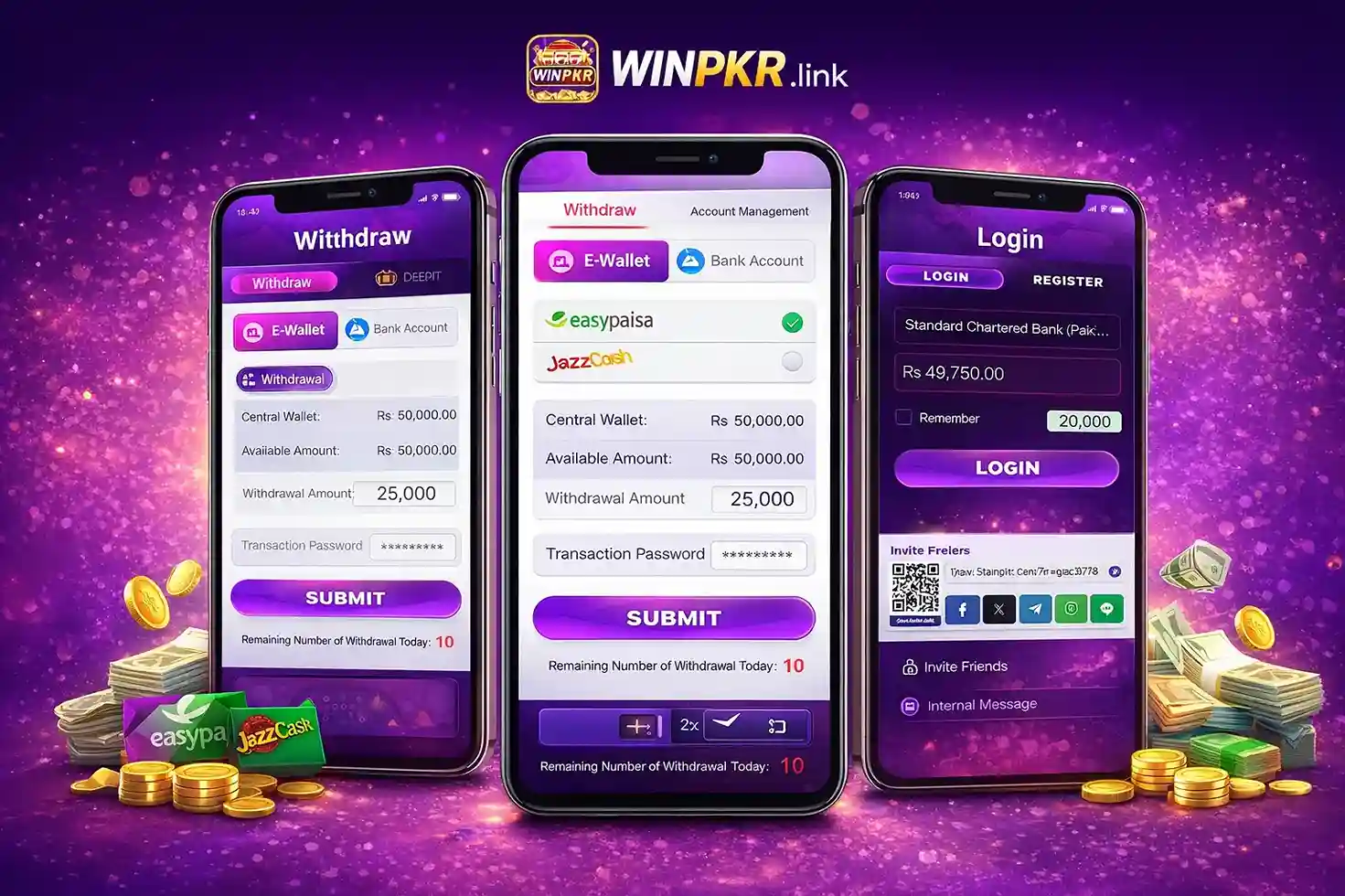
If you want to withdraw money from your WINPKR account, the process is simple and easy to follow. You can withdraw using E-Wallet (EasyPaisa, JazzCash) or a Bank Account. Below is a complete step-by-step guide for both methods.
WinPKR Withdrawal Method (Step-by-Step)
To withdraw money from WinPKR, follow these steps:
1. Go to Withdrawal Section
Login to your account and open the Withdrawal option from the menu.
2. Choose Withdrawal Method
You will see two methods:
- E-Wallet (EasyPaisa, JazzCash)
- Bank Account
Select the method you want to use.
E-Wallet Withdrawal Method
3. Add E-Wallet
Select E-Wallet and add your EasyPaisa or JazzCash account.
4. Set Transaction Password
You will be asked to set a transaction PIN/password. This is required for security and will be used during withdrawal.
5. Enter Withdrawal Amount
Enter the amount you want to withdraw from your account.
6. Apply for Withdrawal
Click on the submit/apply button to request withdrawal.
7. Receive Payment
After approval, your amount will be received in your EasyPaisa or JazzCash account.
It may take up to 24 hours in some cases.
👉To deposit money, check the complete deposit guide.
Bank Account Withdrawal Method
3. Add Bank Account
Go to Account Management section and add your bank account details.
4. Enter Correct Details
Enter your correct name (same as your bank account) and account number.
5. Set Transaction Password
The same transaction password will be required here as well.
6. Select Bank from List
You can choose from available banks such as:
- Meezan Bank Limited
- National Bank of Pakistan
- NIB Bank Limited
- Samba Bank Limited
- Silk Bank Limited
- Sindh Bank Limited
- Soneri Bank Limited
- Standard Chartered Bank Pakistan
- State Bank of Pakistan
- JS Bank Limited
- MCB Bank Limited
- Allied Bank Limited
- Bank Alfalah Limited
- Bank Al Habib Limited
- Habib Bank Limited (HBL)
- United Bank Limited (UBL)
- Bank of Punjab
- Bank of Khyber
- Askari Bank Limited
7. Submit Withdrawal Request
After adding details, enter amount and submit your request.
8. Receive Payment
Your withdrawal will be processed and sent to your bank account.
Account Management Important Note
There is a separate Account Management section where you can add your wallet or bank details before making a withdrawal.
Try not to add multiple accounts again and again. It is better to use one account consistently. Usually, you can manage up to 3 accounts, but using one is recommended to avoid issues.
Important Tips
- Always enter correct account details
- Use your own EasyPaisa, JazzCash, or bank account
- Do not share your transaction password with anyone
- Withdrawal may take up to 24 hours
- Make sure your account information matches your identity
Frequently Asked Questions (FAQs)
How long does withdrawal take?
It can be instant, but sometimes may take up to 24 hours.
Which method is faster?
E-Wallet (EasyPaisa, JazzCash) is usually faster than bank transfer.
Is transaction password required?
Yes, it is required for both E-Wallet and bank withdrawals.
Can I use multiple accounts?
You can add multiple, but it is better to use one account.
What if withdrawal is delayed?
Wait for some time. If not received, contact support.